
How to add or change the language course?
How to Add a Language Course
Estimated Time: 15 seconds
Each user can have their own language courses and learning progress. You can add or remove languages anytime from your Dashboard.
- Go to Dashboard → Users.
- Select the user.
- Click Add Language.
- Choose the language you want to add.
- Click Save.
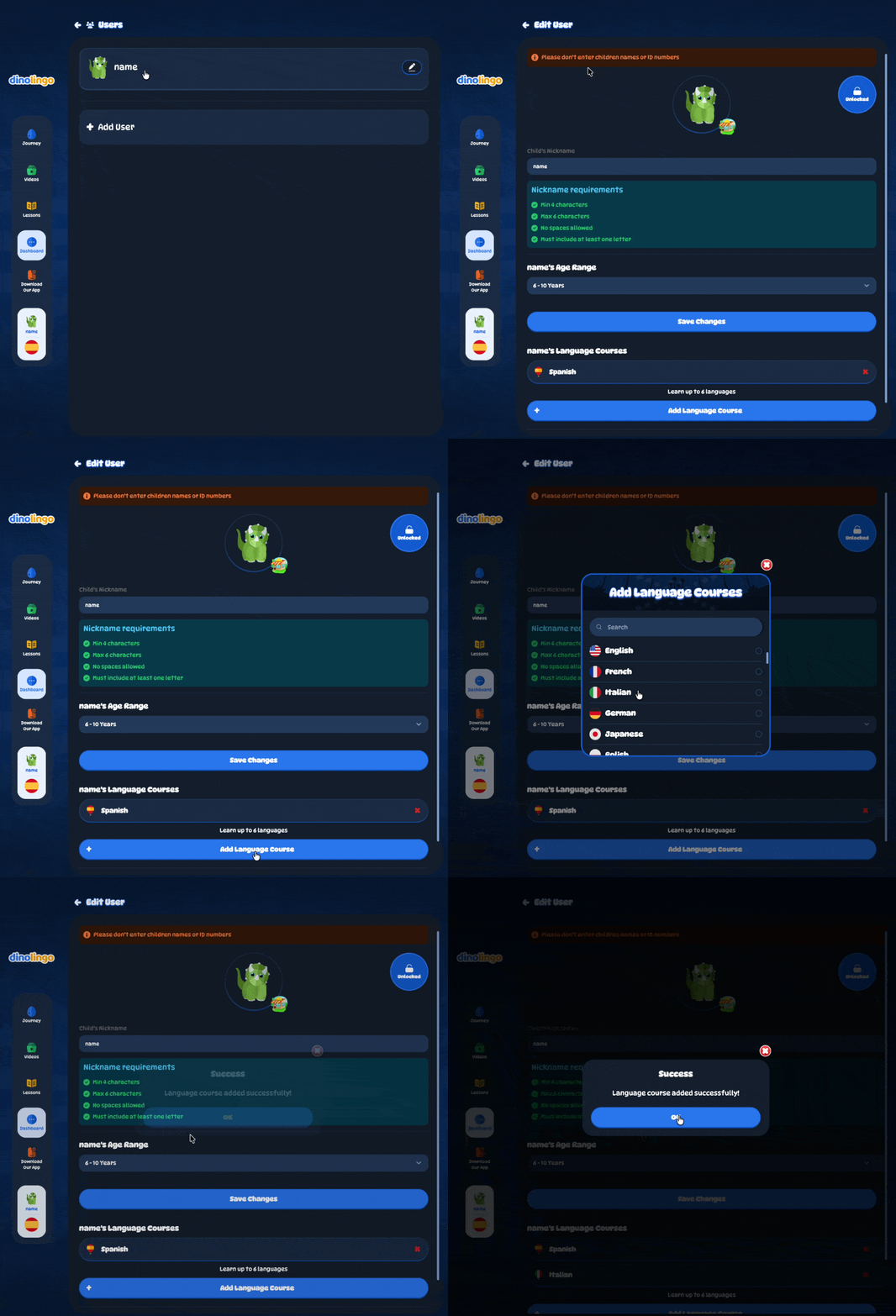
That's it! Your new language course is ready to use.
How to Remove a Language
- Go to Dashboard → Users.
- Select the user.
- Click the X next to the language you want to remove.
- Click Save.
Note: Each user must have at least one language course. If you only have one language, add another language first before removing the existing one.
Important: Removing a language course will permanently delete all learning progress, activity history, and progress reports associated with that language. This action cannot be undone.